
The SAP Identity Authentication and Governance (IAG) API is a RESTful web service that allows developers to perform various operations related to identity and access management (IAM) in SAP applications. The IAG API enables we to create, update, delete, and query users, groups, roles, permissions, policies, and other IAM objects. We can also use the IAG API to integrate with external identity providers, such as SAML, OAuth, or OpenID Connect, and to manage authentication and authorization flows.
This blog provides an overview of the IAG API, its features, and how to use it in our applications. It also provides some examples of common use cases and scenarios that we can implement with the IAG API.
Prerequisites
To use the IAG API, we need the following:
- An SAP Cloud Platform account with the IAG service enabled.
- An IAG tenant with a valid domain name and SSL certificate.
- An IAG client with the appropriate scopes and credentials to access the IAG API.
- A tool or library to send HTTP requests and parse JSON responses, such as Postman, curl, or any programming language that supports RESTful web services.
Getting Started
The IAG API follows the standard RESTful design principles and uses HTTP methods, status codes, headers, and body parameters to communicate with the client. The IAG API supports JSON as the data format for both requests and responses. The IAG API also supports pagination, filtering, sorting, and searching for some of the resources.
The base URL for the IAG API is https://<iag-tenant-domain>/api/v1, where <iag-tenant-domain> is the domain name of our IAG tenant. For example, if our IAG tenant domain is iag.example.com, the base URL for the IAG API is https://iag.example.com/api/v1.
To access the IAG API, we need to provide an access token in the Authorization header of our HTTP request. The access token is obtained by authenticating with the IAG service using our IAG client credentials. The IAG service supports the OAuth 2.0 client credentials grant type for obtaining access tokens. We can use the following endpoint to request an access token:
POST https://<iag-tenant-domain>/oauth/token
The request body should contain the following parameters:
- grant_type: The value should be client_credentials.
- client_id: The client ID of wer IAG client.
- client_secret: The client secret of our IAG client.
- scope: The scope of our IAG client. The scope determines what resources and operations we can access with the IAG API. For example, if we want to access the user management endpoints, we need the user_management scope.
The response body will contain a JSON object with the following properties:
- access_token: The access token that we can use to access the IAG API.
- token_type: The type of the token. The value should be Bearer.
- expires_in: The expiration time of the token in seconds.
- scope: The scope of the token.
Here is an example of a request and response for obtaining an access token:
Request:
POST https://iag.example.com/oauth/token
Content-Type: application/x-www-form-urlencoded
grant_type=client_credentials&client_id=abc123&client_secret=xyz789&scope=user_management
Response:
HTTP/1.1 200 OK
Content-Type: application/json
{
“access_token”: “eyJhbGciOiJSUzI1NiIsInR5cCI6IkpXVCJ9…”,
“token_type”: “Bearer”,
“expires_in”: 3600,
“scope”: “user_management”
}
Once we have the access token, we can use it to access the IAG API by adding the following header to our HTTP request:
Authorization: Bearer <access_token>
Here is an example of a request and response for getting the list of users with the IAG API:
Request:
GET https://iag.example.com/api/v1/users
Authorization: Bearer eyJhbGciOiJSUzI1NiIsInR5cCI6IkpXVCJ9…
Response:
HTTP/1.1 200 OK
Content-Type: application/json
{
“total”: 3,
“count”: 3,
“offset”: 0,
“limit”: 100,
“items”: [
{
“id”: “u1”,
“username”: “alice”,
“email”: “alice@example.com”,
“firstName”: “Alice”,
“lastName”: “Smith”,
“status”: “ACTIVE”,
“groups”: [
{
“id”: “g1”,
“name”: “Admins”
}
],
“roles”: [
{
“id”: “r1”,
“name”: “Administrator”
}
]
},
{
“id”: “u2”,
“username”: “bob”,
“email”: “bob@example.com”,
“firstName”: “Bob”,
“lastName”: “Jones”,
“status”: “ACTIVE”,
“groups”: [
{
“id”: “g2”,
“name”: “Users”
}
],
“roles”: [
{
“id”: “r2”,
“name”: “User”
}
]
},
{
“id”: “u3”,
“username”: “charlie”,
“email”: “charlie@example.com”,
“firstName”: “Charlie”,
“lastName”: “Brown”,
“status”: “SUSPENDED”,
“groups”: [],
“roles”: []
}
]
}
Features
The IAG API provides the following features for managing IAM in SAP applications:
- User management: We can create, update, delete, and query users with the IAG API. We can also assign and revoke groups and roles to users, and activate and deactivate users.
- Group management: We can create, update, delete, and query groups with the IAG API. We can also assign and revoke users and roles to groups.
- Role management: We can create, update, delete, and query roles with the IAG API. We can also assign and revoke users and groups to roles, and define permissions for roles.
- Permission management: We can create, update, delete, and query permissions with the IAG API. We can also assign and revoke permissions to roles, and define policies for permissions.
- Policy management: We can create, update, delete, and query policies with the IAG API. We can also assign and revoke policies to permissions, and define conditions and actions for policies.
- Identity provider management: We can create, update, delete, and query identity providers with the IAG API. We can also configure the authentication and authorization settings for each identity provider, such as SAML, OAuth, or OpenID Connect.
- Session management: We can create, update, delete, and query sessions with the IAG API. We can also revoke and refresh sessions, and get the user information and claims for each session.
- Audit log management: We can query the audit logs with the IAG API. We can also filter and sort the audit logs by various criteria, such as date, user, action, resource, or status.
Examples
Here are examples of common use cases and scenarios that we can implement with the IAG API:
- Create a user with a username, email, password, and status, and assign a group and a role to the user.
- Update a user’s email, password, and status, and revoke a group and a role from the user.
- Delete a user and all its associated groups and roles.
- Query the users by username, email, status, group, or role, and paginate, filter, sort, and search the results.
- Create a group with a name and a description, and assign users and roles to the group.
- Update a group’s name and description, and revoke users and roles from the group.
- Delete a group and all its associated users and roles.
- Query the groups by name, description, user, or role, and paginate, filter, sort, and search the results.
- Create a role with a name and a description, and assign users, groups, and permissions to the role.
- Update a role’s name and description, and revoke users, groups, and permissions from the role.
- Delete a role and all its associated users, groups, and permissions.
- Query the roles by name, description, user, group, or permission, and paginate, filter, sort, and search the results.
- Create a permission with a name and a description, and assign roles and policies to the permission.
- Update a permission’s name and description, and revoke roles and policies from the permission.
- Delete a permission and all its associated roles and policies.
- Query the permissions by name, description, role, or policy, and paginate, filter, sort, and search the results.
- Create a policy with a name and a description, and assign permissions, conditions, and actions to the policy.
- Update a policy’s name and description, and revoke permissions, conditions, and actions from the policy.
- Delete a policy and all its associated permissions, conditions, and actions.
- Query the policies by name, description, permission, condition, or action, and paginate, filter, sort, and search the results.
- Create an identity provider with a name, a type, and a configuration, and enable or disable the identity provider.
- Update an identity provider’s name, type, and configuration, and enable or disable the identity provider.
- Delete an identity provider and all its associated configuration.
- Query the identity providers by name, type, or status, and paginate, filter, sort, and search the results.
- Create a session with a user ID, a client ID, and a scope, and get the access token and the refresh token for the session.
- Update a session’s scope, and get the new access token and the refresh token for the session.
- Delete a session and revoke the access token and the refresh token for the session.
- Query the sessions by user ID, client ID, or scope, and paginate, filter, sort, and search the results.
- Get the user information and the claims for a session by providing the access token.
- Refresh a session by providing the refresh token, and get the new access token and the refresh token for the session.
- Query the audit logs by date, user, action, resource, or status, and paginate, filter, sort, and search the results.
Use case
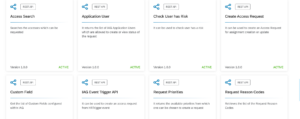
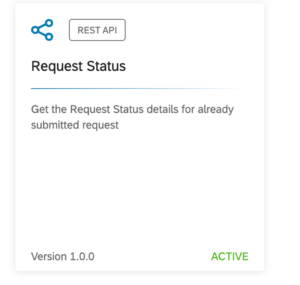
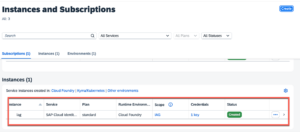
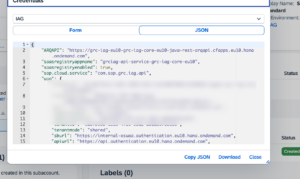
Here are some of the use case of using SAP IAG API
Conclusion
The SAP IAG API is a powerful and flexible tool for managing IAM in SAP applications. It allows us to perform various operations related to users, groups, roles, permissions, policies, identity providers, sessions, and audit logs. We can use the IAG API to integrate with external identity providers, such as SAML, OAuth, or OpenID Connect, and to manage authentication and authorization flows. We can also use the IAG API to customize and automate our IAM processes and workflows according to our business needs and requirements.